

How to get a Cricket ID online in India in 2026: the short answer
To get a Cricket ID online in India in 2026, first identify what the account provides and whether you are eligible to use it. Then open the provider’s official HTTPS registration page, enter only the details requested by the current form, accept the applicable policies, create a unique password, and keep the verified login route for future access.
On Vedik Exchange, a Cricket ID is a personal website account. Start on the official Vedik Exchange homepage and review the live form rather than a copied version. The current form asks for a display name, an email address you control, a password and confirmation, an adult-age and eligibility declaration, and acceptance of the Terms and Conditions with acknowledgement of the Privacy Policy. It does not currently ask for a mobile number, OTP, identity document, address, deposit, or payment detail.
A registration page being available does not establish that every related service is lawful or available in every location. India’s national framework changed materially in 2026. Check the current legal position, the exact nature of the service, and any location-specific restrictions before proceeding.
Online Cricket ID at a glance
| What it means here | A personal Vedik Exchange website account |
|---|---|
| Official registration route | vedikexchange.com/register/ |
| Current required details | Display name, email address, password and confirmation, eligibility declaration, and policy acceptance |
| What it is not | An ICC, BCCI, league, team, ticketing, streaming, fantasy, or player-registration credential |
| Returning access | Email and password through vedikexchange.com/login/ |
| Current recovery limit | No self-service password recovery; use verified support without sharing credentials |
What is a Cricket ID?
A Cricket ID is not a universal credential with one fixed meaning. Different websites use the phrase for different account products. On Vedik Exchange, it means the website account connected to one user’s display name, email address, password-protected login, and active session.
The account, login credentials, and Cricket ID are related but not identical. The account is the stored user record. The login credentials are the email and private password used to request access. “Cricket ID” is the public-facing label used in these guides for that account. It is not an official credential issued by the ICC, BCCI, another cricket board, league, team, broadcaster, streaming service, ticket seller, fantasy operator, or player-registration authority. The About Vedik Exchange page identifies the website operator, editorial reviewer, and public support route.
Registration may be required because a site needs a consistent way to recognise a returning user, apply account rules, protect access, and provide support. Verification requirements vary across providers and jurisdictions. Do not assume that a request seen on another website also applies to Vedik Exchange.
A Cricket ID on this website is not issued by the ICC, BCCI, a league, team, broadcaster, ticket seller, streaming service, fantasy operator, or player-registration body.
See how the account worksHow do you get a Cricket ID online in India in 2026?
Short answer: verify the operator and official domain, check legal and eligibility conditions, open the provider’s real registration page, submit only the requested information, secure the account, and return through the same-domain login route. A safe Cricket ID registration process should make each of those steps visible before asking you to proceed.

- 01Choose and verify the platform
Confirm the operator, complete domain, HTTPS connection, public contact route, Terms, Privacy Policy, age requirements, location restrictions, and the exact nature of the service. Do not rely on a forwarded message or copied page.
- 02Open the official registration page
Navigate from the provider’s canonical website. For Vedik Exchange, use the same-domain Create an Account page. Avoid mirror pages, shortened links, unofficial apps, and forms sent through social media.
- 03Enter only the current required details
Read each label and use your own accurate information. The exact fields vary by provider. Do not submit an identity document, payment credential, OTP, or extra personal detail unless the legitimate process clearly requires it.
- 04Complete applicable verification
A provider may use email, mobile, age, identity, or other verification where lawful and necessary. Complete it only through the verified domain. Never falsify information or use another person’s identity to bypass a restriction.
- 05Secure the account
Create a unique password, protect the connected email account, avoid public or shared devices, and save the official login page. Do not share a password, OTP, PIN, or recovery secret with support.
- 06Confirm the result and sign out when needed
Check that the page confirms account creation or explains any error. Registration does not guarantee a feature, approval, payment route, promotion, or outcome. Sign out when another person could access the device.
What details or documents may be required for Cricket ID registration?
The Cricket ID verification process depends on the provider, account purpose, applicable law, and current risk controls. A form may request contact details, age confirmation, or identity information. The correct approach is to follow the current official form rather than a generic checklist from a third party. No documents are requested by the current Vedik Exchange registration form.
Current Vedik form versus possible requirements elsewhere
| Information | Current Vedik Exchange form | Possible on another legitimate service |
|---|---|---|
| Display or profile name | Required | May be required |
| Email address | Required | May be required |
| Password and confirmation | Required | Commonly required |
| Adult-age and eligibility declaration | Required | May involve additional age checks |
| Mobile number or OTP | Not requested by the current form | May be requested |
| Government identity or address document | Not requested by the current form | May be requested when legally necessary |
| Payment information | Not part of account registration | Depends on the permitted service and its rules |
Personal documents deserve a higher level of caution. Confirm the complete hostname, why the document is needed, how it will be used, how long it may be kept, and where privacy questions can be sent. Do not upload a document through a public chat or send it to an unofficial profile.
How do you register for a Cricket ID on Vedik Exchange?
Secure Cricket ID registration starts at vedikexchange.com. Select Register and review the current form, which requests a display name, email address, a password, and password confirmation. The password must contain at least 12 characters with uppercase and lowercase letters, a number, and a symbol.
The form also requires you to confirm that you meet the minimum legal age and eligibility requirements for your location. You must accept the Terms and acknowledge the Privacy Policy. Enter only your own details and do not create an account on behalf of someone else.
After a valid registration request, the server stores the account record and a protected password representation, starts a secure browser session, and returns the user to the website. A duplicate email, invalid field, missing declaration, password mismatch, or password that does not meet the rule can prevent registration.
Current form details can change. Review the live registration page rather than relying on an old screenshot or third-party instructions.
How does Vedik Exchange Cricket ID login work?
Use the official Vedik Exchange login page and enter the email address and password associated with the account. A successful request creates an authenticated session. An unsuccessful request returns a general error rather than confirming whether a particular email exists.
Before entering credentials, inspect the full domain and HTTPS connection. A familiar logo is not enough because images and colours can be copied. Avoid links from unsolicited messages, advertisements, unknown QR codes, or search results that use a lookalike address.
Self-service password recovery is not currently available. If you cannot sign in, use the official Contact page and provide only a non-sensitive description of the problem. Never send the password itself, an OTP, a PIN, a recovery secret, or banking credentials.
Use the sign-out action when you finish on a shared device. Protect the email account connected to registration because it may matter for future support or recovery.
Open verified supportIs a Cricket ID legal in India in 2026?
A Cricket ID is an account label, so legality depends on what the underlying service actually offers. An account name does not make a prohibited activity permissible. Users should examine the real features, transactions, and current legal classification rather than relying on marketing terminology.
India’s Promotion and Regulation of Online Gaming Act, 2025 extends across India and defines an “online money game” as an online game involving payment, deposit, or another stake with an expectation of monetary or other enrichment. The Act prohibits offering or facilitating online money games, related promotion, and payment facilitation. The Government of India’s 2026 rules backgrounder states that the Rules came into force on 1 May 2026 and describes the national framework.
The law separately recognises e-sports and online social games that meet the statutory definitions. A cricket-themed account may not be assumed to fall into one category merely because of its name. Check the provider’s actual service, any determination or registration it claims, current government information, and independent legal advice where the distinction matters.
Legal availability is separate from personal suitability. Review the Responsible Use guidance, set personal limits, and do not treat an account or promotion as a promise of a financial or sporting outcome.
This article provides general information, not personal legal advice. Do not use a Cricket ID to access or facilitate an activity prohibited by Indian law. A provider’s availability, advertisement, or self-description is not proof of legal status.
How can you check whether a Cricket ID website is genuine?
No single signal proves that a website is trustworthy. HTTPS encrypts the connection but does not verify every claim made by the operator. Use several checks together and stop if important details conflict.
- Type or bookmark the official domain and inspect the complete hostname before entering credentials.
- Confirm that the operator, contact email, Terms, Privacy Policy, and responsible-use information are visible and consistent.
- Read what the account actually provides and do not confuse it with an official cricket authority, league, team, ticket, or streaming credential.
- Check age, eligibility, location, legal, verification, and service-availability conditions before registration.
- Avoid urgency, unrealistic claims, unofficial support numbers, unknown APK files, shortened links, and requests for remote device access.
- Never share a password, OTP, PIN, UPI PIN, recovery code, or full payment credential.
- Use the National Cyber Crime Reporting Portal to check or report suspect identifiers when appropriate.
The Government of India’s National Cyber Crime Reporting Portal provides facilities to check and report suspect websites, phone numbers, email addresses, social accounts, and other identifiers. The portal also provides cyber-safety information and the national financial-cyber-fraud helpline 1930.
Common Cricket ID registration problems and practical next steps
Registration failures are often caused by a form or eligibility issue, but an error message should not be bypassed. Correct only information you can verify and use official support if the cause remains unclear.
Troubleshooting table
| Problem | Possible reason | What to do |
|---|---|---|
| Form will not submit | A required field or declaration is incomplete | Review every field and visible error; do not bypass the requirement |
| Password rejected | It does not meet the current rule | Use at least 12 characters with uppercase, lowercase, a number, and a symbol |
| Password confirmation fails | The two entries differ | Re-enter both privately and check keyboard state |
| Email already registered | An account may already use that email | Try the official login route or contact support without sharing the password |
| Registration temporarily limited | Repeated failed attempts triggered protection | Pause and try later; do not create duplicate accounts |
| Login unsuccessful | Email or password is incorrect | Check the official domain and credentials; use verified support if access remains unavailable |
| Website appears unavailable | Connectivity, maintenance, domain, or browser issue | Verify vedikexchange.com directly, wait, and avoid unofficial mirrors |
Vedik Exchange does not currently use mobile OTP or document upload in the registration form, so an OTP delay or pending document check is not part of the current website flow. If the live form changes, rely on its current labels and privacy notice.
Cricket ID account security checklist
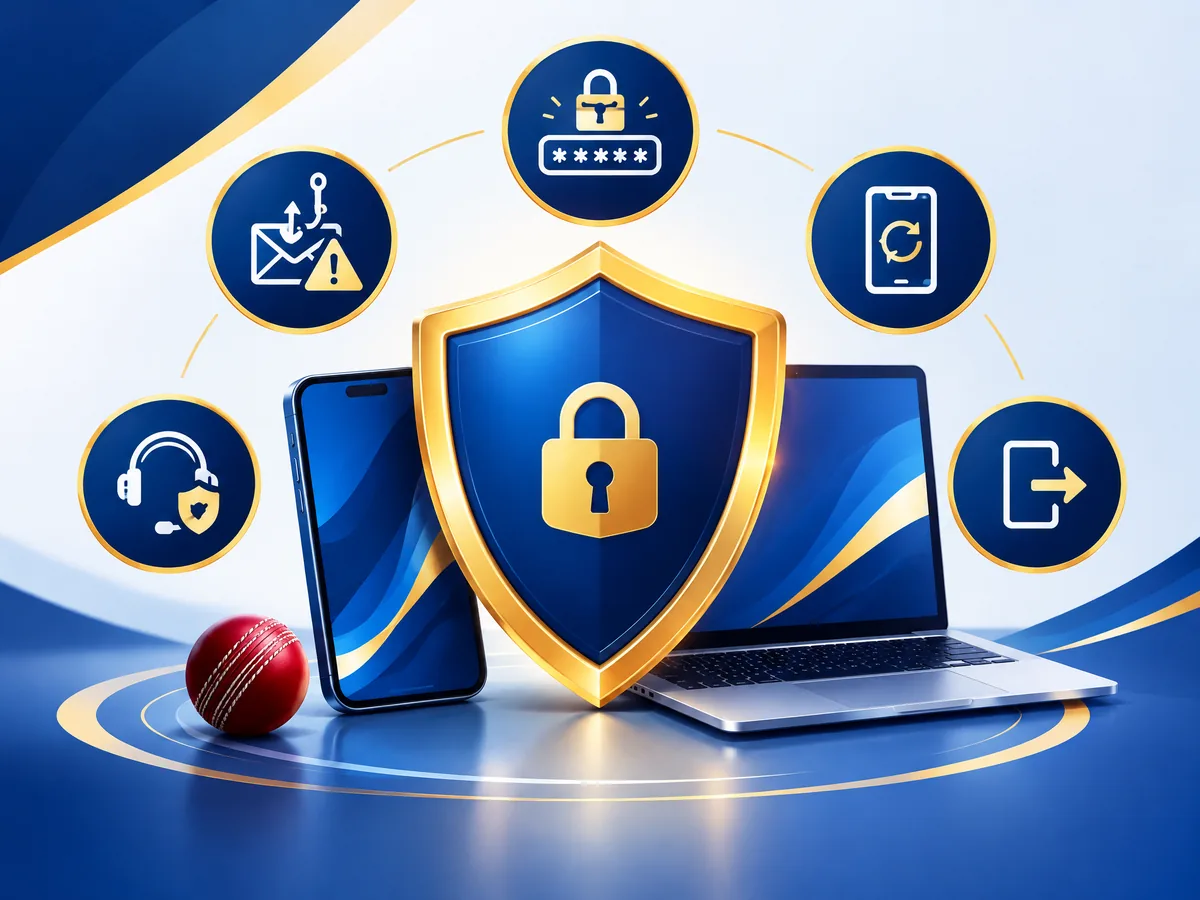
CERT-In advises users to check URLs carefully, avoid urgent or suspicious links, use unique strong passwords, keep software and browsers updated, avoid public Wi-Fi for sensitive activity, and never share passwords or OTPs. RBI similarly warns about phishing, fake support numbers, unknown apps, remote-access requests, and messages seeking login or payment credentials.
- Use a unique password that is not reused for email, banking, social media, or another website.
- Never share passwords, OTPs, PINs, UPI PINs, recovery secrets, card details, or banking login information.
- Use an updated browser and device, a screen lock, and a trusted private connection.
- Do not install an unknown APK, browser extension, configuration profile, or remote-access application.
- Check the domain before every login and close any page reached through a suspicious message.
- Sign out on shared devices and review unexpected account or email activity promptly.
- Preserve non-sensitive evidence and report suspected fraud through official channels.
For a repeatable pre-registration review, use the India Cricket Account Safety and Transparency Checklist 2026. It covers operator identity, official domains, credentials, policies, payment clarity, responsible access, and reporting routes.
Frequently asked questions about getting a Cricket ID online
What is a Cricket ID?
On Vedik Exchange, a Cricket ID is a personal website account connected to a display name, email address, and password-protected login. It is not an official credential from the ICC, BCCI, a league, team, broadcaster, ticket seller, streaming service, or player-registration authority.
How can I get a Cricket ID online in India?
Confirm the provider and official domain, check the current law and your eligibility, read the policies, and use the provider’s real registration page. Submit only the details requested, create a unique password, and keep the same-domain login route for future access.
What does Vedik Exchange registration require?
The current form requires a display name, email address, password and confirmation, an age-and-eligibility declaration, and acceptance of the Terms with acknowledgement of the Privacy Policy. It does not currently request a mobile number, OTP, identity document, address, deposit, or payment details.
What documents are required for Cricket ID registration?
Vedik Exchange’s current registration form does not request documents. Other services may require age, identity, or address verification when lawful and necessary. Verify the purpose, domain, privacy notice, and secure upload process before submitting any sensitive document.
How do I complete Cricket ID verification?
Follow only the current instructions on the verified provider domain. Verification may involve email, mobile, age, identity, or other checks, but requirements vary. Do not falsify information, use another person’s details, or send documents and OTPs through unofficial chats or social profiles.
How do I log in to my Vedik Exchange Cricket ID?
Open vedikexchange.com/login/ through the website navigation or a trusted bookmark. Enter the registered email and password privately. Check the full domain before submitting and sign out when you finish on a shared device.
How can I recover my Cricket ID password?
Self-service password recovery is not currently available on Vedik Exchange. Use the verified Contact page and describe the access problem without sending your password, OTP, recovery secret, PIN, or banking credential. Do not pay an unofficial third party to recover an account.
Is a Cricket ID available in every Indian state?
Do not assume universal availability. Account access and the legality of an underlying service can depend on the service itself, national law, location, age, eligibility, and current platform rules. Review current official information for your circumstances before registering or using any feature.
Does a Cricket ID make an online money game legal?
No. An account name does not change the legal classification of the underlying service. India’s current national framework prohibits offering or facilitating online money games as defined by the 2025 Act. Check what a service actually provides rather than relying on its label.
How can I identify a genuine Cricket ID website?
Check the complete domain, HTTPS connection, operator identity, contact route, policies, eligibility information, and consistency across official pages. Avoid urgency, unofficial support numbers, unknown apps, lookalike domains, and requests for credentials or remote device access.
What should I do if Cricket ID registration fails?
Read the visible error, recheck the required fields and declarations, and avoid repeated guesses. Do not create duplicate accounts or bypass a restriction. If the problem continues, use verified support and share only a non-sensitive description.
How can I protect my Cricket ID account?
Use a unique password, secure the connected email account, keep devices updated, avoid public Wi-Fi for sensitive access, verify the domain before login, sign out from shared devices, and never share an OTP, PIN, recovery secret, or payment credential.
Final checklist before you create a Cricket ID
- I understand what this Cricket ID account provides and what it does not.
- I have checked the current Indian legal framework and any conditions relevant to my location.
- I am using the complete HTTPS address on vedikexchange.com.
- I have reviewed the current Terms, Privacy Policy, eligibility information, and responsible-use guidance.
- I will submit only my own accurate information through the official form.
- I will use a unique password and keep every login or verification secret private.
- I know that registration does not guarantee approval, availability, payment access, a promotion, or an outcome.
If every point is clear and you are eligible, review the live Vedik Exchange registration form. Existing users should return through the official Cricket ID login page. If you need more context before choosing an account route, read How Cricket ID Works or contact support without sending credentials.